
Sections
About 4,500 structural steel sections (beams, columns, channels, angles, tees, piles and hollow sections) from AS/NZS, ASTM and BS/EN tables. Pick one and its properties land on the calcsheet, units attached. No more copying out of a table (or copying it wrong).
Two ways to use one:
- Insert: the properties you tick, as ordinary definitions like . Visible, and it prints.
- Add to worksheet: a member name like
b1, with every property kept in the background (, …). Any number of sections, no name clashes.
Free on every plan; needs an account. The catalogue loads when you first open the panel. If it can’t, you get Could not load the section catalogue. and a Retry button.
Find a section
Section titled “Find a section”Click the section icon in the activity bar. The panel opens on Catalogue.
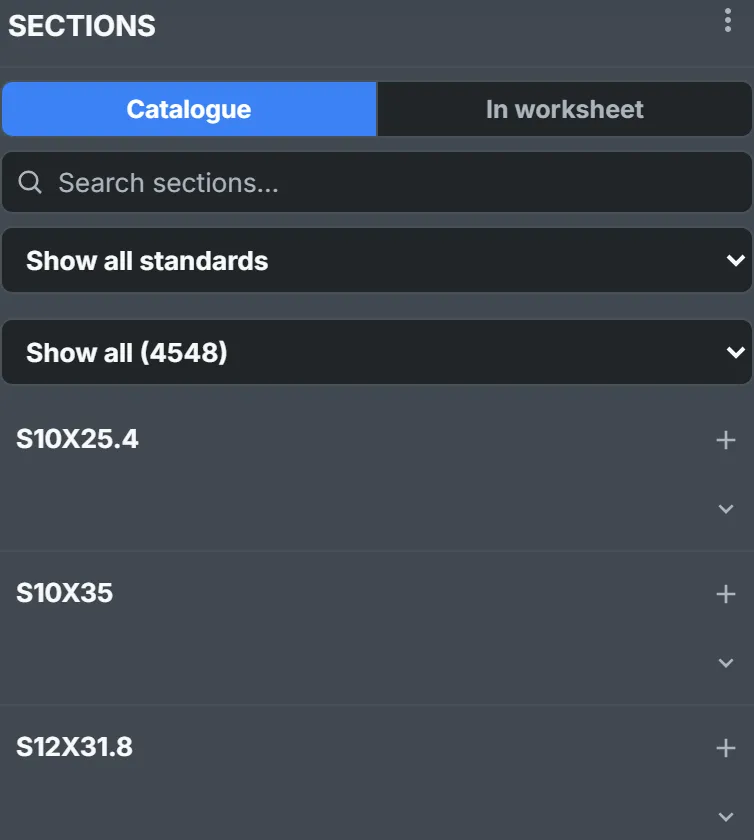
Three filters, applied in order:
- Standard (Show all standards): AS/NZS sections, ASTM sections, ASTM A1085 HSS or BS/EN sections.
- Family (Show all): universal beam, equal angle, circular hollow section and so on, narrowed to the chosen standard.
- Search: the letters you type, in order, against designation, alternative names and family; best match first.
310ub40finds 310 UB 40.4. American shapes answer to their metric names too:S250X37.8finds S10X25.4.
The list stops at 200: Showing the first 200 of 4548 sections — refine your search to see the rest.
See its properties
Section titled “See its properties”The chevron under + opens a section: its outline, then every property the data has, in your units and symbols. Hover over a row for its full name.
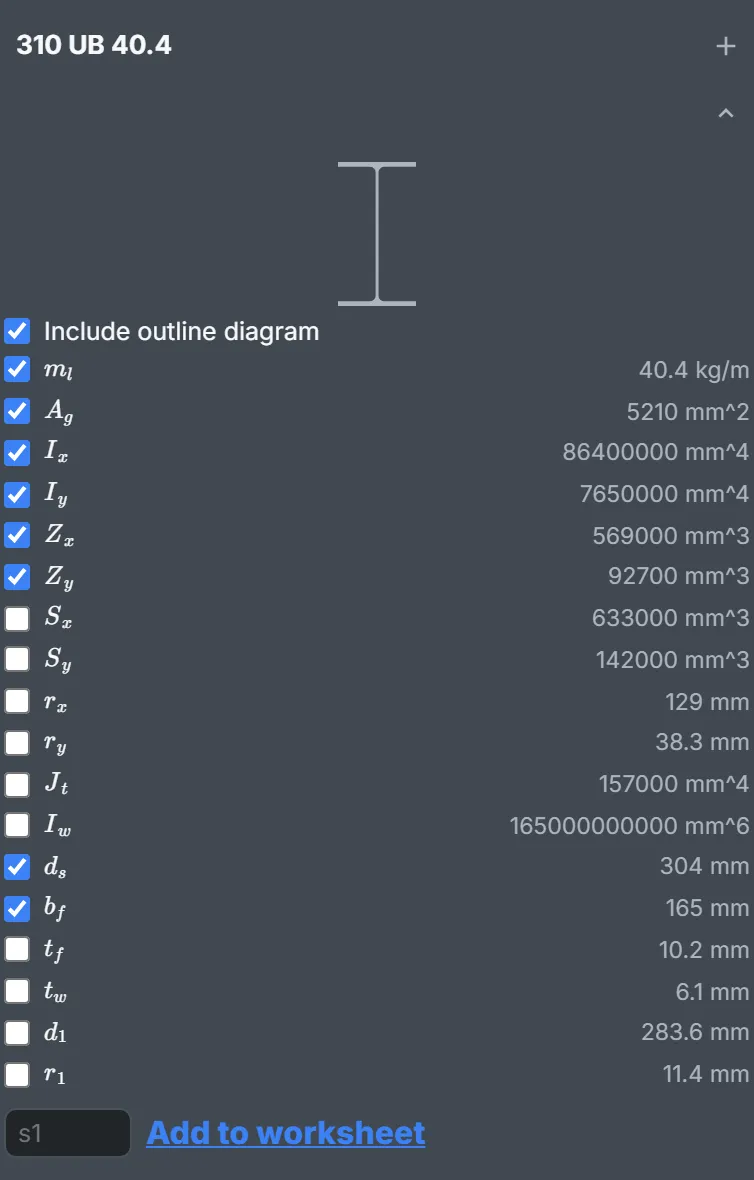
What’s listed depends on the shape: flange and web for an I-section, diameter and wall for a tube. Pre-ticked are mass per metre, area, both second moments, both elastic moduli, and depth and flange width (or diameter and wall thickness).
Include outline diagram comes first. Compound sections (back-to-back angles and channels) have no outline, so no box.
Insert a section
Section titled “Insert a section”Click the page to place the beacon, then press +. With no beacon it goes below everything. + on a closed row inserts the pre-ticked set; open the list to choose.
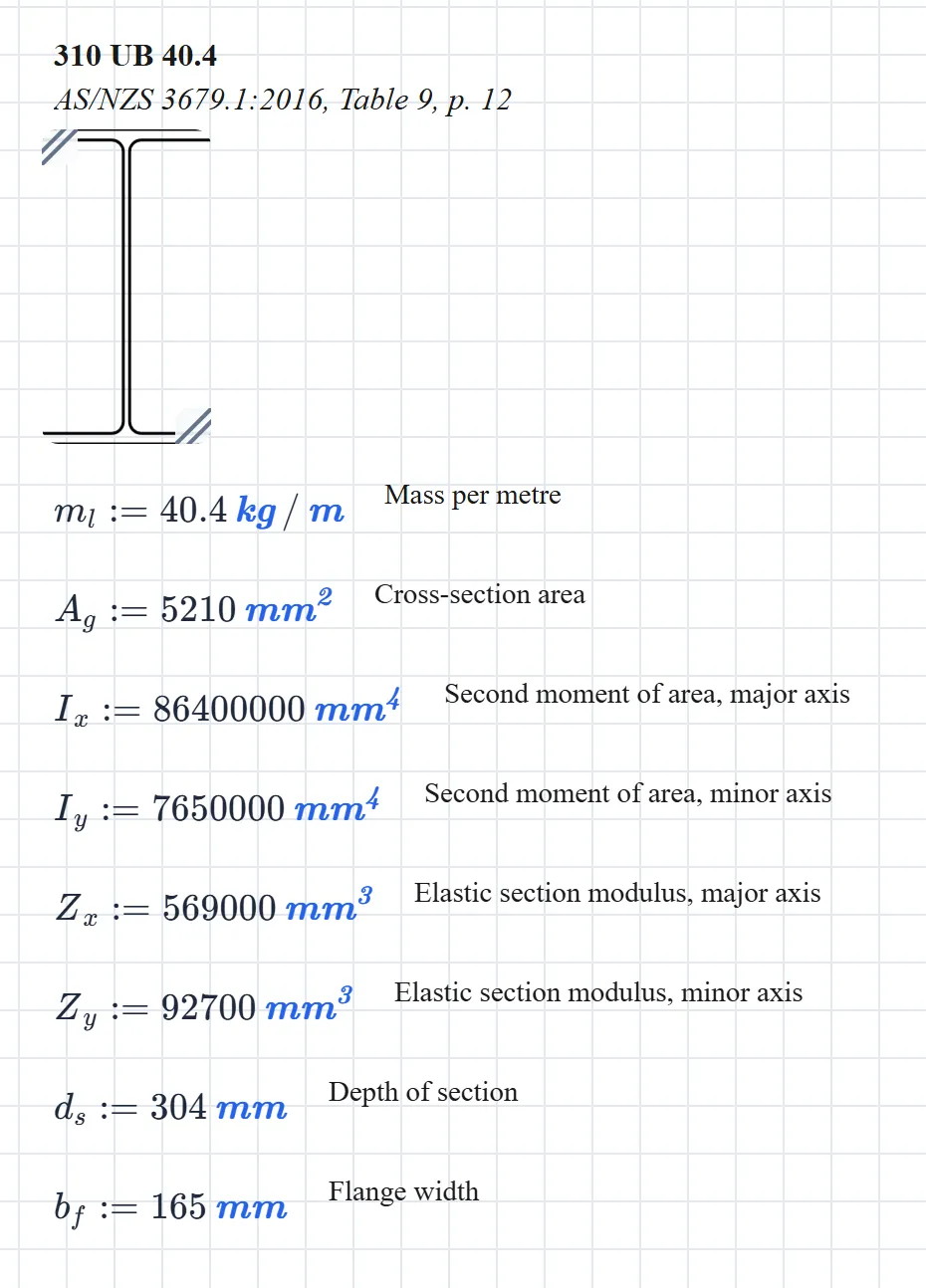
You get:
- A heading: the designation, with the standard, table and page in italics. The calc cites its source for you.
- The outline, as a diagram block, unless unticked.
- One definition per ticked property, its full name alongside.
It arrives selected, so it drags as one. One Undo removes it.
Ordinary definitions, ordinary names. Insert a second section and its and replace the first’s from there down, silently. So: one inserted section per sheet. For more, name them.
Name a section
Section titled “Name a section”In the open list, type a member name beside Add to worksheet (blank takes the suggested s1) and click it. The panel switches to In worksheet:
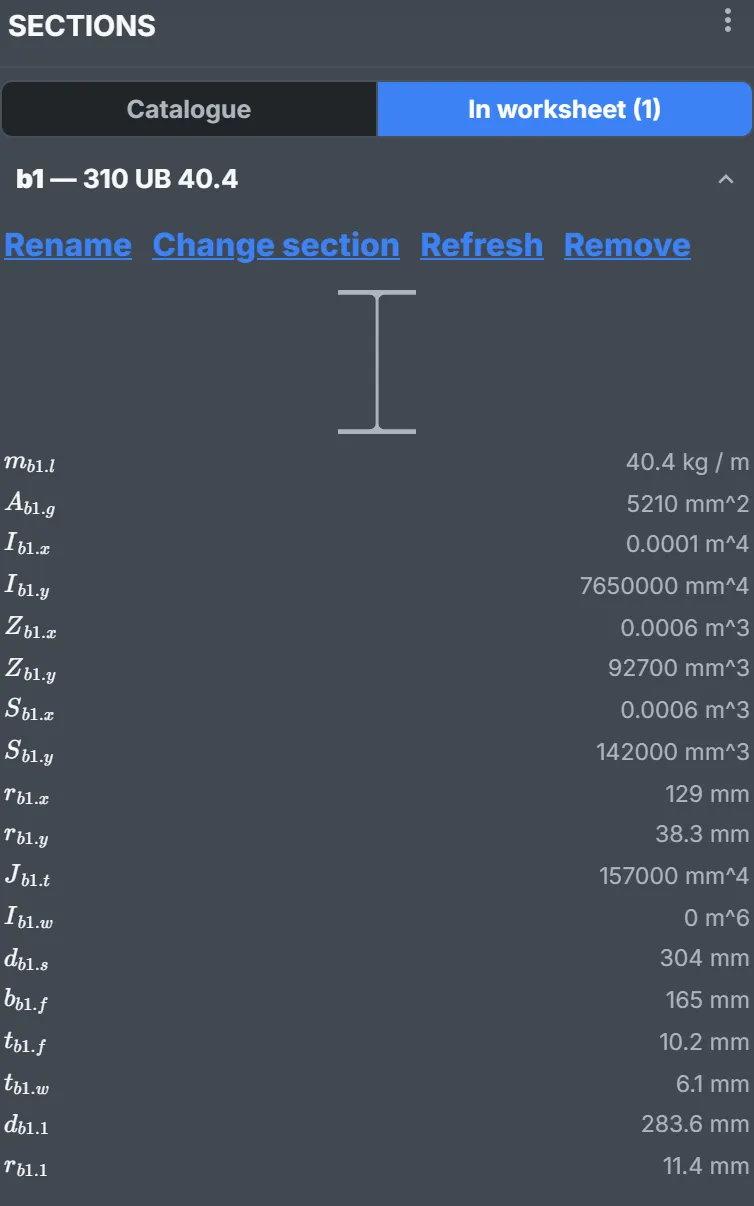
Every property is now defined under that name: , , … Type Z_b1.x for ; autosuggest offers them too.
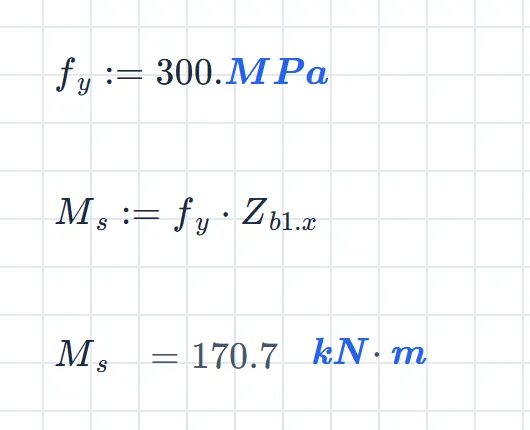
Left alone it reads – a joule is a newton metre, and the units engine can’t tell you meant a moment. Put kN.m in the unit box.
Worth knowing:
- Available everywhere. They’re worked out before anything on the page, so a formula can use them above or below where you added them.
- Saved with the calcsheet. They work for anyone who opens it, Sections on or off.
- Not printed. A printout shows but not its value. Give the checker a block holding just .
- Names are a letter then letters or digits (
b1,col2,rafter), once per calcsheet. No underscores or dots. - Symbols are fixed when added. Changing the notation later doesn’t rename existing members.
- The list rounds; the values don’t. Big values show in metres at the sheet’s decimal places: as , the warping constant as . Put
mm^4in a block’s unit box and reads .
Manage named sections
Section titled “Manage named sections”Open a member on In worksheet:
- Rename: every reference follows (the dialog counts them). One Undo reverses it.
- Change section: swaps in another section, keeping the name and symbols. Properties the new one lacks go undefined, and the panel says so: The new section lacks 1 previously referenced property — those references now show as undefined.
- Refresh: fetches the values again, for when the source data is corrected.
- Remove: deletes it. The dialog counts the references left undefined.
Settings
Section titled “Settings”Open ⋮ at the top of the panel, then Settings….
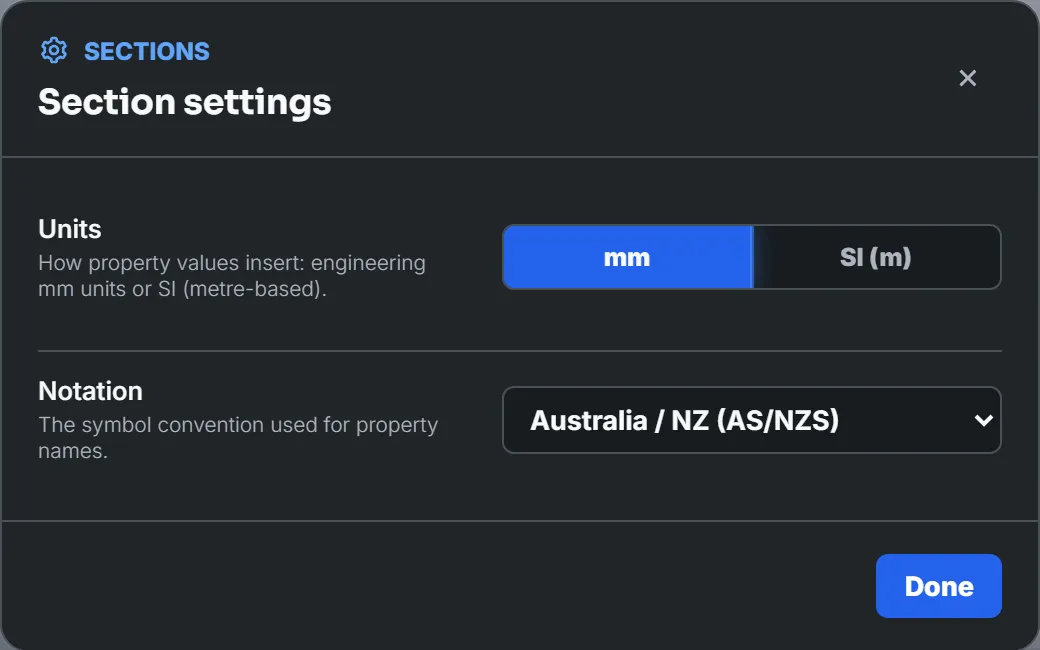
- Units: mm inserts , SI (m) inserts . Same quantity, different literal. Named sections always store mm.
- Notation: six regional symbol sets. Australia / NZ (AS/NZS) is the default.
Both are saved to your account.
The notations
Section titled “The notations”The same in every notation:
| Property | Symbol |
|---|---|
| Mass per metre | |
| Cross-section area | |
| Depth of section | |
| Width of section | |
| Flange width | |
| Flange thickness | |
| Web thickness | |
| Depth between flanges | |
| Root radius | |
| Outside diameter | |
| Wall thickness |
The rest follow the design standards:
| Property | Europe | US / Canada | Australia / NZ | China | Japan | India |
|---|---|---|---|---|---|---|
| Second moment of area, major | ||||||
| Second moment of area, minor | ||||||
| Elastic modulus, major | ||||||
| Elastic modulus, minor | ||||||
| Plastic modulus, major | ||||||
| Plastic modulus, minor | ||||||
| Radius of gyration, major | ||||||
| Radius of gyration, minor | ||||||
| Torsion constant | ||||||
| Warping constant |
Every symbol has a subscript on purpose. A bare is the ampere and a bare the metre; a property named either would take over the unit for the whole sheet.
Stick to one notation per calcsheet. is elastic in AS/NZS and plastic in US / Canada; is the major axis in Europe and the minor everywhere else. Mix them and a formula quietly picks up the wrong property.